Showing posts with label Math. Show all posts

Tuesday, June 9, 2020

Math Shed and Spelling Shed (A Homeschool Crew Review)

Disclaimer: I received a FREE copy of this product through the HOMESCHOOL REVIEW CREW in exchange for my honest review. I was not required to write a positive review nor was I compensated in any other way.


It's always a good thing when I can find a way to get Ashleigh and Garrett to practice things they are learning. When it's fun and something they enjoy doing, even better.  For the last few weeks, the kids have been using both Math Shed and Spelling Shed, two educational applications from EdShed, to work on their math and spelling skills.

Both Math Shed and Spelling Shed are fun browser based games designed to help students grades 1st thru 5th practice their spelling and math skills.  A one year subscription includes access to both Spelling Shed and Math Shed for up to 5 students as well as a teacher's account.  Both applications are require internet access and are accessed via a web browser with no need to download anything to your computer.

Math Shed is the first of the two applications we have been using.  The student simply logs into the website and they select Math Shed. They are then taken to the main screen for the game, which gives them different options on what they can work on.  For our review time, the kids have been mostly using the option to practice their multiplication tables (which also allows you to practice Division facts as well), but other options include addition and subtraction, number bonds, power of 10s, and even negative numbers.


Once we made our selection for Times Tables, we are then given the option as to what multiplication family or division facts we want to work on.  You have the option of selecting a specific single family, mixed facts, and decimals.


From there, students are given the option of three difficulty levels - Easy, Medium and Hard. After selecting a difficulty level, the student is play thru a speed drill where they are asked to answer as many questions as they can answer in a 1 minute time period.  In Easy mode, the student is given three answer options that they can pick from. In medium mode, there are 6 answer options.  In Hard mode, the student must type their answer out.

Math Shed at the Easy difficulty level

Math Shed played at Hard Level

They are told immediately if they select the correct answer or not.  At the end of the 1 minute drill, the student is told how many questions they answered, what those questions were and if they got the question correct or not.


Spelling Shed is the second education application offered by EdShed. 


For this game, students select both their stage level (which increases the difficulty of the word given) and difficulty level.  The difficulty levels are Easy, Medium, Hard and Extreme and the game changes depending on which option is selected.  For the easy level, the student is shown the proper spelling of the word and when they are ready, the word disappears and the student uses the tiles provided (or they can type the word with the keyboard) to spell the word.  At the medium level, the word is not known but is read to the student and they again spell the word with the tiles shown.  In this mode, only the tiles used to spell the word are presented.  In Hard and Extreme, the word is also spoken to the student, however, the amount of tiles presented are increased so that tiles will be left over after the student spells the word. The difference between these two modes is the amount of extra tiles presented to the child.

Playing Spelling Shed at Medium Level

Another game that the student can play in Spelling Shed is a hangman style game. Students are given lines that represent the amount of letters in the word and students use the tiles to help figure out the word.  Instead of a hangman, the student is presented with bees.  Each time the student guesses the wrong letter, one of the bees flies away.

Hangman style game in Spelling Shed

In addition to the games, parents can access spelling curriculum that can be used in conjunction with the Spelling Shed application.  These are downloadable PDF files (also available to download in powerpoint format) that coincide with the 5 spelling list levels offered by Spelling Shed.  These files contain 36 weekly spelling lists with lesson plans and activities.

Spelling list and lesson plan from Spelling Shed curriculum

One of the activities included with Spelling Shed Curriculum

Garrett using Spelling Shed


For our usage, the kids took turns first using one application for a few rounds, followed by using the other for a few rounds.   

Ashleigh's a bit beyond the range for Spelling Shed, but it does prove to be enough of a challenge for Garrett to use and benefit from.


Ashleigh works on the higher level questions at a more difficult level and while she misses some, she does well enough.


Where we found the most benefit was with the Math Shed portion of the program.   The kids have been focusing on their multiplication tables, so they used this to drill what they have learning.  So after their math lesson, they log in and they select the multiplication facts they have learned and they drill those facts.  For these drills, I ask them to use the Medium difficulty level.


We like the program well enough and it's going to be very useful to us, especially for drilling their math facts as we progress thru both multiplication and division facts.  We will also continue to use the spelling program with Garrett who I think will benefit the most from it.  Overall, we think it's a great program that isn't overly done with graphics and sounds, so it's great for students like Garrett who get distracted easily. 


To learn more about Math Shed and Spelling Shed, be sure to visit the website.  You can also find out more information on the following social media sites:

Facebook: https://www.facebook.com/EdShed-US-113476190342149/
Twitter: https://twitter.com/EdShedUS
Instagram: https://www.instagram.com/spellingshed/
YouTube: https://www.youtube.com/channel/UCJKXC4Rd29eQQWPbSdITLhw


Spelling Shed & Math Shed {Education Shed Reviews}

Thursday, May 9, 2019

Pattern Explorer Beginning (A Homeschool Crew Review)


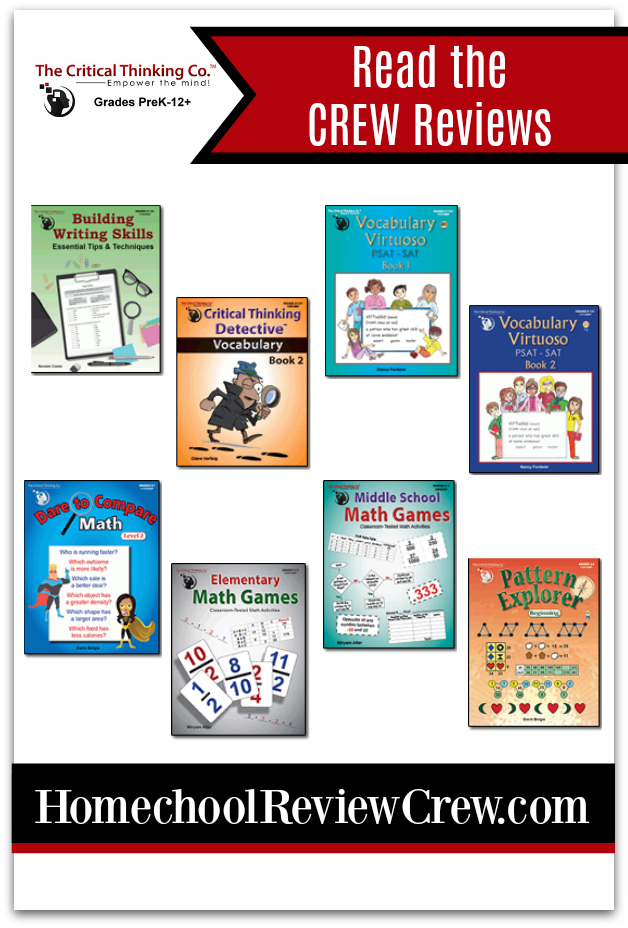
The Critical Thinking Co. understands that students need to develop their critical thinking skills in addition to just memorizing information.  Members of the crew have been reviewing their choice of 8 different workbooks from The Critical Thinking Co.™ with their students to work on these valuable skills.  Our family chose to review Pattern Explorer Beginning to use in our homeschool.

About The Critical Thinking Co.

Established in 1958, The Critical Thinking Co. has set a goal of producing award-winning products that help students to achieve better academic results as they sharpen their reading, writing, math, science and history skills while improving their critical thinking abilities.  By creating lessons that require the student to analyze what they are reading and learning, their hopes is that students improve both their grades as well as test scores as they learn to analyze information and use higher critical thinking skills to apply that information to their classwork and lives.  The Critical Thinking Co. does not believe in drill and memorization but instead believe that the development of these critical thinking skills produces better results.

About Pattern Explorer Beginning


For this review, we were given the Digital download version of this workbook.  Upon downloading the file and installing it onto the computer, the software must be registered using the license given to the user upon purchase.  Once registered, the user has complete access to the full workbook which can be printed out easily for one or more students.  The digital workbook is the same as the physical workbook of the same title. 


This workbook is targeted for students Grades 3-4th and use various math skills to solve: addition, subtraction, multiplication, division, and more. 

There are 5 different types of pattern problems that students will be asked to solve in this book:

  • Pattern Predictor  
  • Equality Explorer
  • Sequence Sleuth
  • Number Ninja
  • Function Finder
Through the course of the book, the students will be asked to solves these five type of problems, with each type being rotated throughout the book.  Each type of pattern problem will be repeated 8 times over the course of the 40 activities found in the book. 


The workbook itself is 88 pages in length. The first 4 pages of the workbook consist of the title page, table of contents, author information and introduction.  Following that are 48 page that cover the 40 different exercises for the student to work.  The remaining pages contain the key for the solutions for the exercises as well as hints for each activity to help encourage and guide the student to figuring out the solution when they hit a dead end.


How We Used This

We have been using Pattern Explorer Beginning as strictly a supplement to our math assignments and the kids love it.  After installing the EXE file onto my computer, I simply opened the program and then printed two copies of the first 20 pages.  These I keep in a folder and a few times each week, I give a page to the kids work on.   The kids routinely asked if we could work on "Pattern Math" and would celebrate when I grabbed that folder.  I didn't pick any particular day to use them - just scattered their usage throughout the week when I thought the kids needed a fun activity, such as after a long reading assignment or when they were having a bad morning.


And to be perfectly honest, some of our silliest moments in our school lately have revolved around working out one of the activities together..   Here's the kids telling me how much my drawing skills suck - just as an example of the silliness we've had together using these worksheets.


 Each activity uses and builds upon the skills they already know but don't like to practice, in a fun way in which they seem to forget that they don't like doing it.  I guess algebraic expressions seem much more fun when you're figuring for half moons and stars rather than X and Y.


Each sheet would take us roughly 10-15 minutes to complete and typically, we would work it out together with me writing the problems on our dry eraser board and having the kids walking me step by step through solving the various problems.

While we have gotten through a good percentage of the book, I have no doubt that we will easily be able to reprint pages and repeat the exercised without the kids objecting (or even realizing they are repeating them). Once I feel comfortable with their skills, I'll most likely purchase the next book of this series from The Critical Thinking Co.

#hsreviews #TheCriticalThinkingCo #EmpowerTheMind


For more information about The Critical Thinking Co. and the vast library of resources available for purchase, including Pattern Explorer Beginning, be sure to visit their website .  You can also find them on the following social media sites:


Between now and the end of the year, Get Free Shipping + 15% Off Any Size Order!

Coupon: TOSCREW19

Expires: 12/31/2019


Members of the Homeschool Review Crew were given their choice of 8 different products from The Critical Thinking Co. that covered language and math skills for different grades.  Be sure to click the banner below to read their reviews and see if any of them might be a good fit for your particular student.


Critical Thinking, Math, Vocabulary & Writing Skills {The Critical Thinking Co. Reviews}

Thursday, February 21, 2019

IXL Learning (A Homeschool Crew Review)


I am always on the look out for new ways of making learning fun for the kids.  Whether it's hands on learning or an application that allows the kids to practice, if it's interactive, it's usually a big hit with them.  For the last few weeks, the kids have been reviewing the full annual membership for IXL from IXL Learning.


About IXL

IXL originally started as a math practice program for Pre-K through High School.  From those early beginnings in 2007, IXL has since expanded their offerings to language arts, science, social studies and even Spanish.  While both science and social studies are offered only for grades 2nd-8th, the other subjects offer practice activities for Pre-K through 12 grade.  Overall, IXL offers more than 7,000 different skills practice.    The program is available for both English and Spanish speakers.


Skills are practiced by using a browser based website or an internet connected device using the IXL app.  Students log into their account and can select grade level and subject categories that they wish to work on.


Once a grade and subject is selected, the student is given a list of various skills they can work on,
Selecting a skill will take them to the practice for the skill.  Practice consists of a series of questions about the subject and the student is given a goal to achieve while answering the questions. 

These goals progress by stages. For example, the first stage might ask the student to answer 4 questions in a row correctly while the second stage might ask for them to answer 6 questions correctly.

 If the student gets the question correct, they are given positive reinforcement such as "Great Job" or "Excellent".. If they get a question incorrect, they are provided with a fairly in depth explanation of the skill so that they can hopefully learn, retain and get the same style of question correct. 

Once the student accomplishes the goals set for the activity, they are then given more positive reinforcement in the form of awards.  These awards can either be in the form of a printable certificate or a virtual prize on the web page.

Positive Reinforcement following the completion of a section
Students also are awarded a medal for completing the skill.  These medals serve as a way to see what skills the student has not only worked on with the IXL program but an indicator as to how they have done with that skill.  Students can repeat the activity for even after being awarded a medal for the skill.

The parents section of the website allows for the parent to see the activity of what the child has worked on.  This section tells you statistics such as how much time the child has spent working on the program, how many questions they have answered, what the questions they answered were, the progress they have made in the program, and even diagnostics and trouble spots that need to be focused on.

 How We Used It

We were given two student accounts for the IXL website, one for Garrett and one for Ashleigh, in addition to the parent account. Both kids were able to log into their account using their own password and work on whatever skills they wanted to work on.
One thing we've really enjoyed about using IXL is that the kids can log in following their normal school lessons, locate one of the activities that covers the material they have learned and then review that information.   They also enjoyed the freedom of being able to work on whatever skills they wanted.  For example, one time I caught Ashleigh working on identification of parts of animal cells - something we have not worked on in quite a while.  On another occasion, I found Garrett working on a section that was about identifying National Landmarks in the US.


Ashleigh has really enjoyed having the IXL app on her tablet so that she can play on it whenever she wants.  She really has enjoyed the program, even more than I thought she would and begged to do it each day until I put it on her tablet for her.  Prior to that, I would wake up to find she had drawn her "request" on my white board and there were many times she asked if rather than doing school, if they could just work on IXL instead.

Some of the daily art work that I have woken up to 


The parent section was rather interesting to me, as it allowed me to really see what Garrett likes to work on vs what Ashleigh enjoys working on.  Ashleigh often works on science skills more than anything where Garrett tends to work on either math or social studies.  I also was very surprised to see that they worked on skills that we hadn't covered as of yet and that they have done well with those sections. 


My kids love earning certificates and awards so the certificate system that IXL uses is right up their alley.  Each time they complete a skill or meet a goal such as answering so many questions in a row, they are awarded either a certificate or an award.

While this is not an actual curriculum as far as a teaching program (it is strictly review material), this is definitely program that we will be using quite a bit throughout the year as just another tool to gauge how well they are retaining the information they are learning through our school year.

#hsreviews #ixl #iloveixl


For more information about IXL Learning, be sure to visit their website.  You can also find them on the following social media sites:

Facebook: facebook.com/IXL
Twitter: twitter.com/IXLLearning
Pinterest: pinterest.com/IXL
YouTube: youtube.com/IXL

                    Be sure to click the banner below to read reviews from the other Crew members.

Immersive, Adaptive Learning Online {IXL Learning Reviews}

Tuesday, June 5, 2018

The Critical Thinking Co.™ (A Homeschool Crew Review)


One of the reasons I continue to homeschool my students is because it seems these days, students are taught the various tests that they must take to graduate from public schools.  This means they are expected to memorize and regurgitate a large amount of material, but they never really learn that material, much less learn to analyze the information and dig deeper into what that information means in both practical and real-life situations.

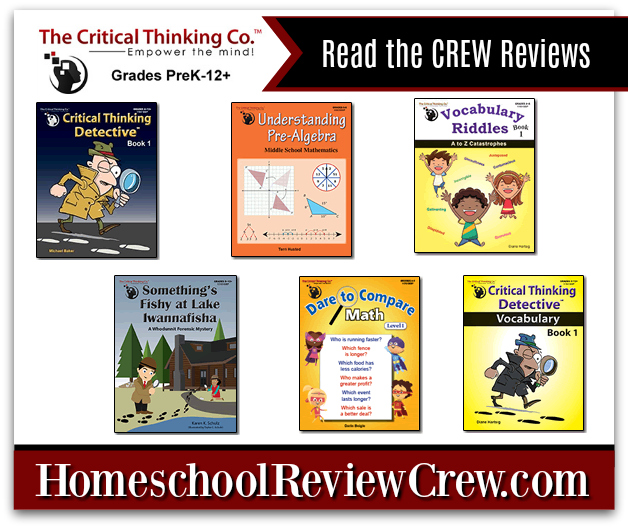
The Critical Thinking Co.™ understands that students need to develop their critical thinking skills in addition to just memorizing information.  Members of the crew have been reviewing their choice of 6 different workbooks from The Critical Thinking Co.™ with their students to work on these valuable skills.  Our family chose to review Dare to Compare Level 1, which asks students to use mathematical calculations to make comparisons and come to an ultimate decision to answer complicated word problem.


About The Critical Thinking Co.™

Established in 1958, The Critical Thinking Co.™ has set a goal of producing award-winning products that help students to achieve better academic results as they sharpen their reading, writing, math, science and history skills while improving their critical thinking abilities.  By creating lessons that require the student to analyze what they are reading and learning, their hopes is that students improve both their grades as well as test scores as they learn to analyze information and use higher critical thinking skills to apply that information to their classwork and lives.  The Critical Thinking Co.™ does not believe in drill and memorization but instead believe that the development of these critical thinking skills produces better results.


About Dare to Compare Level 1

Written for students Grades 4-5, Dare to Compare Level 1 is a 96-page digital download book that contains 50 pages of word problems as well as pages of hints and solutions for each of the problems.  (A physical workbook is also available for purchase for those who prefer.) Pages are in black/white greyscale format, making the workbook both easy and cost-efficient to print.

The digital workbook does require downloading an executable file to your computer running Windows 7, 8 or 10.  Currently, it is only available for the Windows OS but a Mac OS X version is currently in the works. 


To access the workbook, the executable file must be installed a serial number for proof of purchase must be entered to register the file.  Once installed and registered, simply click the icon to open the workbook and pages can be printed from the program.


Each problem is designed in such a way that students must work multiple steps to derive the answers necessary and then compare those answers to each other.  For example, the student might be asked to determine which jar has the most volume, but students must first determine the volume when they are told how much volume must be added to fill the jar.

Other questions might as for students to compare distances traveled by multiple vehicles at different speeds, to compare the square area of two pieces of land or to figure out the prices of items purchased.  Altogether, there are 150 individual questions for students to solve.

Since we are working with the digital version of the workbook, I was able to simply print out a few pages from the workbook each week and then we would work each problem out together, step by step, on our dry erase board.  We found this worked really well for us, as I could give the kids the dry erase marker and have them talk their way through working out the problems.


Dare to Compare Level 1 is considered a supplement and that's exactly how we decided to use it.  One could easily work through the workbook starting with the first question and then working straight to question 150 or you could pick and choose questions to coincide with current lessons for reinforcement of the material or even past lessons for a review.


Since Garrett and Ashleigh are currently learning Multiplication and Division, I tried to focus more on questions that focused on those particular skills.


On this particular problem, the kids had to calculate the total length of three wooden fences  and then determine which fence had the longest perimeter.


I've been very happy including these questions as part of math drills for the kids each day and the kids seem to enjoy them just as much.  Ashleigh has even said that they are "fun" and this is the kid who hates math almost as much as her mother does.  I really like how each question has multiple parts to it, making the kids actually think about what they have to do to figure out the final answer.  Overall, it's a great workbook to work on math skills and at a price of $10.59 (for either the digital or paperback version), it's a solid investment for a great math supplement.


#TheCriticalThinkingCo #HSReviews

For more information about The Critical Thinking Co.™ be sure to visit their website. You can also find them on the following social media sites:

Also, The Critical Thinking Co.™ has a few special offers that I would like to bring to your attention.

Free Critical Thinking Puzzles!
This is a great way to "test drive" materials from The Critical Thinking Co.
™ and get a good feel for them.  By signing up and choosing a grade level between PreK through Grade 8, you can have Free Critical Thinking Puzzles delivered to your inbox weekly.  This is a $75 Value! Sign Up at:
https://www.criticalthinking.com/toscrew

 
Special Offer from CriticalThinking.com!
Second, readers can get Free Shipping + 15% Off Any Size Order!  Simply use the coupon code: TOSCREW18 to get both discounts. This coupon expires on 12/31/2018.


While we reviewed Dare to Compare Level 1, members of the Crew were allowed to select their review item from 6 different selections that cover a large variety of subjects for all grade levels. Be sure to click the banner below to read the other Crew reviews today.

Critical Thinking, Understanding Math & Vocabulary {The Critical Thinking Co.™ Reviews}


Disclosure

Disclosure
Related Posts Plugin for WordPress, Blogger...