I'm always on the lookout for ways to incorporate more math practice into our homschool day. If it's fun and the kids enjoy it, that's even better. So when I was given the opportunity to review 6 months of Smartick from Smartick, I was pretty excited.

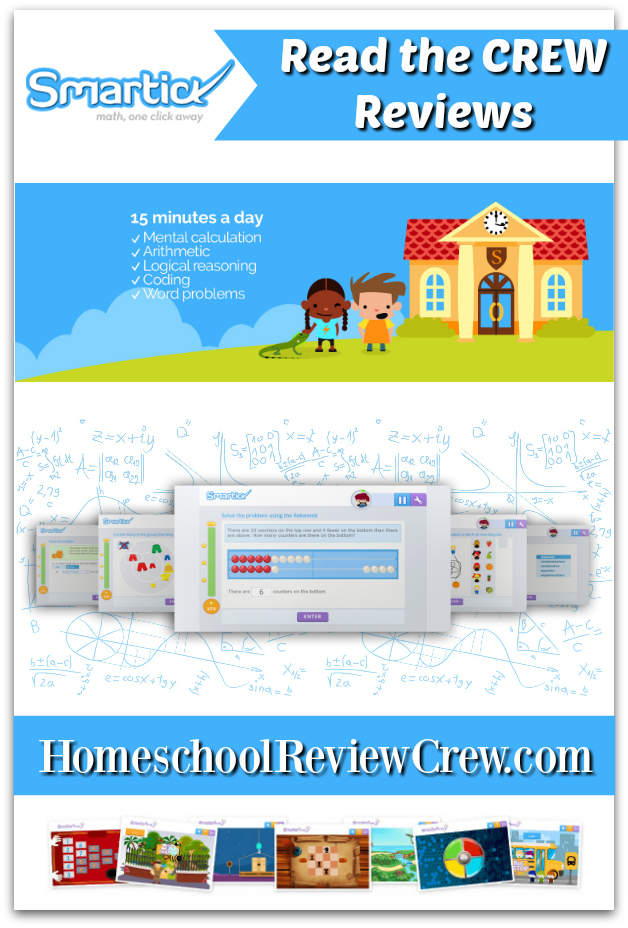
Able to adapt to your student's pace, Smartick is a math enrichment program designed to combine math and reading comprehension to help improve students mathematical skills. Students develop problem solving and critical thinking skills as they build self confidence. Designed for students ages 4-14 students work at their own pace using short, daily sessions at roughly 15 minutes a day while not only improving their math skills but reading comprehension as well. There are 10 sections students work though with Smartick, although the program picks the order and activities each day, so one day the student might work on fractions while the next day they are solving pattern problems.

The first time the student uses the program, they are given an assessment to calculate where the student is mathematically. From there, the programs AI adapts itself to what the student knows, how they answer questions and how they progress each session. Along the way, students are given "ticks" which they can use as currency in the Smartick world, to buy virtual pets, clothing, furniture and more.
As students use the program and progress, they also are awarded diplomas (which are cutely named after Mathematicians such as Pythagoras, Euclid and Ada Lovelace to help keep students motivated. Parents can also create their own motivational rewards. For example, for Ashleigh, I set one of her motivational rewards as this: "If you do 8 sessions , If you complete 8 sessions, we will buy new pajamas" . I can look and see how many more sessions she has til she completes this reward (as of now, she has 3 left) and that gives her something very substantial to work toward to motivate her to complete her sessions.
I do like that after the kids complete a session, I receive and email that tells me what they worked on and how they did. The kids never worked on the same thing as each other - Garrett did a ton of work with fractions while Ashleigh's sessions tended to focus more on multiplication and division.

One other aspect of Smartick is the "Smartick Brain" section. This section has different games that focus on more cognitive skills, such as memory, reasoning, flexibility and attention span. Ashleigh was really enjoying this portion of the program, as there was a virtual version of Simon. You might remember Simon, the handheld light up game where you have to hit buttons in the same sequence as the machine. Garrett found a virtual version of Connect 4 as well as a Chess game. These games appear to be Java based and have cute animations and sound effects.
 |
| Smartick Brain games with cute graphics and sound effects |
One slight issues we had using Smartick (when we could use it) was that Ashleigh easily gets distracted - by pretty much anything and everything. A dog barking outside, a car going by, a bird singing, ect. This proved to be a problem as Smartick does calculate how long it takes the student to respond to the problem and so Ashleigh was constantly getting "Too Slow" on her assessments. She never would use the pause button that is available.

Garrett actually fared much better using Smartick, and I think he really did enjoy using it more than Ashleigh did. Garrett was able to concentrate on the activities more so than Ashleigh did and as such answered questions quicker.

Smartick mentions being able to help improve reading comprehension. There are often word problems that require the student to read and solve. Ashleigh did better on these types of problems then Garrett. He might not like to read, but Smartick was making him read whether he liked it or not.

Ashleigh's sessions tended to have longer word problems.


One thing I liked is that at the beginning of each session, the kids were asked to select an icon that represented how they were feeling. At the end of the session, they were asked again to select how they were feeling. Ashleigh almost always selected the disgruntled face at the beginning as she hates doing math, but almost always picked the very happy face after the session was over.


First, let me say I really do like this program and I am looking forward to using it significantly more than we have. However, with that said, we did not use the program near as much as we would have liked. This isn't because of any fault of the program itself, but instead because of an unresolved problem with our internet that began early into this review period and was completely out of our control.
The problem was this - Smartick relies almost entirely on streaming on the internet which requires, what i guess, a larger amount of bandwith than other programs. Recently, an "upgrade" was made to our internet and new cables were put underground by our cable and internet provider. When this happened, originally, I could not get to ANY websites, including Smartick. After a week of this, the provider again replaced our lines and equipment, and while we could then access the website and log into our accounts, the actual lessons themselves could not be accessed because of something wrong with the equipment. It's been a frustrating few weeks for us - but we have been assured that another repair is in the works and should resolve the problem at that time. It's our hopes that once that does, we can resume our progress that the kids made with the program as I really do think that both of them were making improvements from it's use. It really is a great program.

For more information about Smartick, please visit their website. You can also find more information on the following social media sites:
Facebook: https://www.facebook.com/Smartick
Twitter: https://twitter.com/smartickmethod?lang=en
Instagram: https://www.instagram.com/smartick/
YouTube: https://www.youtube.com/channel/UCD_f6FMb0X1QDp5j7puQh1Q
Be sure to click the banner below to read reviews from other members of the Crew who used Smartick with their families.